
Download Password Exporter – Secure Firefox Password Export & Import Tool
Overview
Password Exporter is a lightweight Firefox add‑on that puts you in full control of the credentials you have stored in the browser. By leveraging Firefox’s built‑in password manager, the extension lets you export every saved login to a portable XML or CSV file, and then import it back whenever you need to migrate to a new computer, share a backup with a trusted colleague, or simply create an offline archive. The workflow is intentionally straightforward: one click to dump the entire password database, another click to restore it. While the add‑on offers optional encryption for the exported file, it also reminds users that any exported list is a high‑value target and should be treated with the same caution you would give a physical password notebook. Whether you are an IT administrator moving dozens of workstations, a power user who regularly reinstalls operating systems, or a privacy‑concerned individual looking for a reliable backup method, Password Exporter provides a free, secure, and easily auditable solution that works directly inside Firefox without the need for third‑party services. Its open‑source nature means you can inspect the code, verify the encryption routine, and even contribute improvements, reinforcing trust in a tool that handles the most sensitive data on your device.
Key Features
- One‑Click Export: Export all saved Firefox passwords to XML or CSV with a single button press.
- One‑Click Import: Seamlessly re‑import the exported file to restore passwords on any Firefox installation.
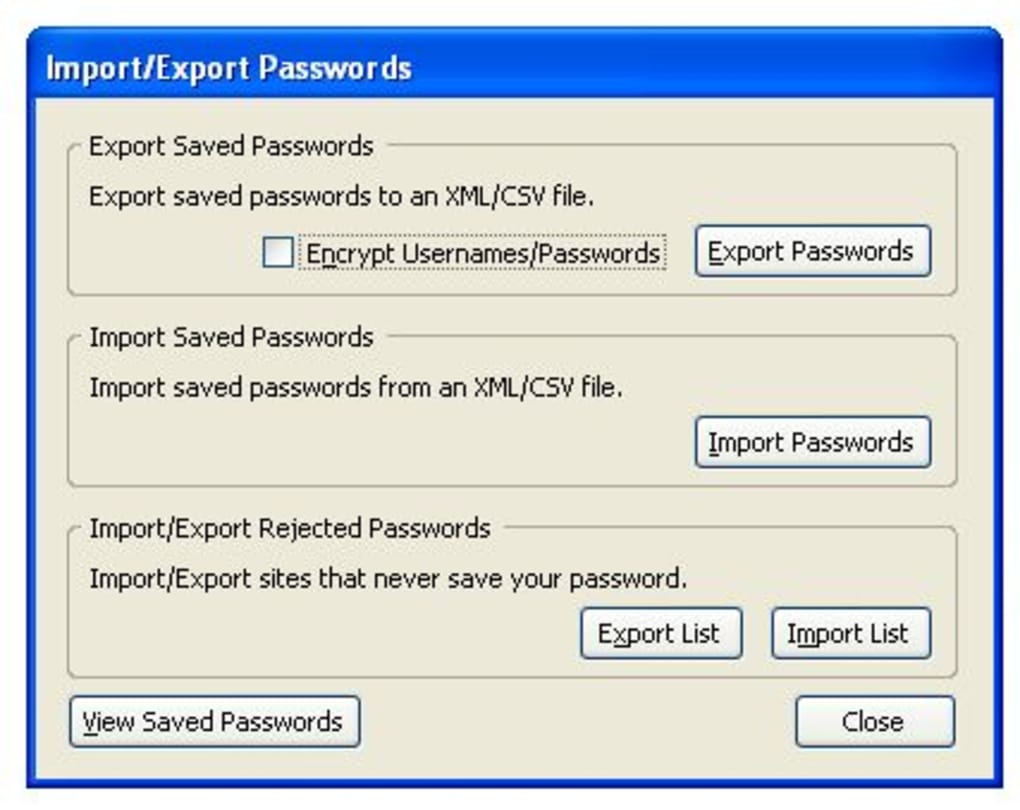
- Encryption Option: Choose AES‑256 encryption for the export file; a custom password protects the data.
- Cross‑Platform Compatibility: Works on Windows, macOS, Linux, and any system running Firefox 78 or newer.
- Selective Export: Filter passwords by domain, username, or date created before exporting.
- Automatic Updates: Receives regular security patches through the Firefox Add‑ons store.
- Open‑Source Transparency: Source code is publicly available on GitHub for audit and contribution.
- Minimal Permissions: Requests only the access needed to read and write Firefox’s password store.
Installation & Usage Instructions
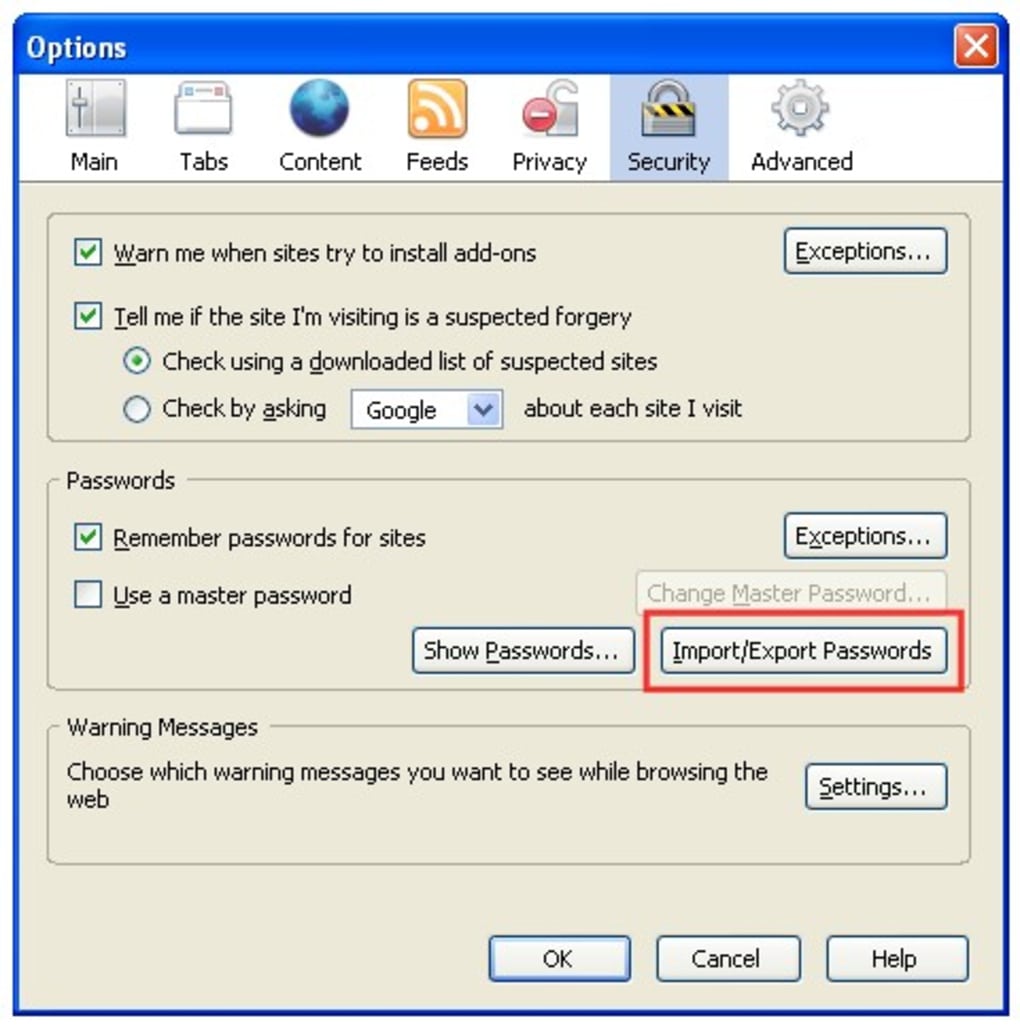
Getting started with Password Exporter is as simple as installing any other Firefox add‑on. First, open Firefox and navigate to the official Add‑ons Marketplace. Search for “Password Exporter” and click the Add to Firefox button. Firefox will prompt you to grant the extension permission to read your saved logins; accept the request to continue. Once installed, you’ll notice a new icon in the toolbar—a small lock symbol that indicates the add‑on is ready.
Exporting passwords: Click the lock icon, then select Export Passwords. A dialog box appears asking you to choose the file format (XML or CSV) and the destination folder. If you enable encryption, you’ll be prompted to create a strong passphrase; this passphrase will be required later for import, so store it securely. After confirming, the extension reads Firefox’s internal password database, formats the entries, applies optional encryption, and writes the file to the chosen location. The whole process usually completes in under a second for typical user profiles.
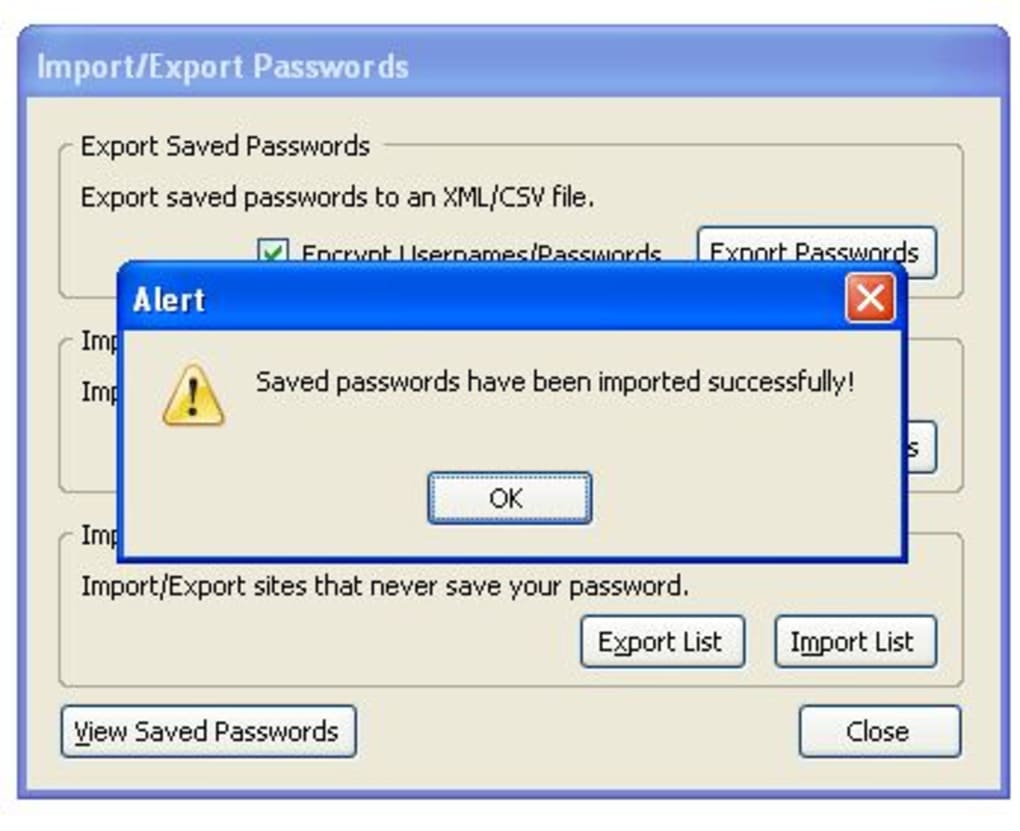
Importing passwords: On a new machine or after a fresh Firefox install, click the lock icon again and choose Import Passwords. Locate the previously exported file, enter the encryption passphrase if you used one, and confirm. Password Exporter validates the file structure, decrypts if necessary, and writes each entry back into Firefox’s password manager. You’ll receive a confirmation message indicating the number of passwords successfully restored.
Best practices: Because the exported file contains all your credentials in plain text (unless encrypted), store it on an encrypted external drive or a secure cloud folder with two‑factor authentication. Delete the file from the download folder once you have verified a successful import. Regularly repeat the export process after adding new logins to keep your backup current.
Compatibility & System Requirements
Password Exporter is built as a native Firefox WebExtension, which means it runs on any operating system that supports Firefox 78 or later. This includes:
- Windows 10, Windows 11 (both 32‑bit and 64‑bit)
- macOS 10.14 (Mojave) and newer, including Apple Silicon (ARM) Macs
- Linux distributions with recent Firefox packages (Ubuntu 20.04+, Fedora 33+, Debian 10+)
- Any other platform where Firefox is available, such as FreeBSD or OpenBSD
The add‑on does not require additional runtime libraries or administrative privileges, though you must have write access to the folder where you intend to store the exported file. For encrypted exports, the extension uses the Web Crypto API, which is supported across all modern browsers, guaranteeing consistent security regardless of the underlying OS.
If you run Firefox in a corporate environment with group policies that disable add‑on installation, you’ll need to request an exception from your IT department. In such cases, the extension can also be deployed via Enterprise Policy JSON files, allowing system administrators to pre‑install Password Exporter on multiple workstations without user interaction.
Pros and Cons
Pros
- Free and open‑source, no hidden fees or subscriptions.
- Simple, one‑click workflow for both export and import.
- Supports encrypted exports with strong AES‑256 protection.
- Works on all major operating systems that run Firefox.
- Regular updates through the official Firefox Add‑ons store.
- Selective export filters give fine‑grained control over data.
Cons
- Exported files are vulnerable if encryption is not enabled.
- Only compatible with Firefox; Chrome or Edge users need a different tool.
- No built‑in password generator or manager—focuses solely on export/import.
- Requires manual handling of backup files; no cloud sync integration.
Frequently Asked Questions
Can I export passwords from multiple Firefox profiles at once?
Password Exporter works on the currently active profile. To export from another profile, switch to that profile in Firefox and run the export again. The add‑on does not merge profiles automatically.
Is the encryption method compliant with industry standards?
Yes. When you enable encryption, the extension uses the Web Crypto API to apply AES‑256‑GCM, which is widely recognized as a strong, industry‑standard encryption algorithm.
What happens if I forget the encryption passphrase?
The passphrase is required to decrypt the file; without it, the data cannot be recovered. It is recommended to store the passphrase in a secure password manager or write it down in a safe place.
Can I schedule automatic backups of my passwords?
Password Exporter does not include a scheduler. However, you can combine it with external scripting tools (e.g., PowerShell, Bash) to automate the export process at regular intervals.
Is the add‑on safe to use in a corporate environment?
Yes, provided that the organization enforces strict handling of the exported files. The extension can be deployed via Enterprise Policies, and its open‑source code allows security teams to audit its behavior before rollout.
Conclusion & Call to Action
Password Exporter fills a niche that many Firefox users have long needed: a trustworthy, free tool that lets you back up, transfer, and restore every password saved in the browser with just a few clicks. Its emphasis on simplicity, cross‑platform support, and optional AES‑256 encryption makes it suitable for both personal power users and enterprise administrators. While the responsibility for safeguarding the exported file remains with the user, the add‑on provides clear warnings and encryption options to mitigate risk. If you regularly reinstall your operating system, switch between workstations, or simply want a reliable offline backup of your credentials, downloading Password Exporter today will give you peace of mind and full control over your login data.







